
GUITAR PRO IMPORT & EXPORT
Bring Guitar Pro tabs into your flow.
Already have a Guitar Pro file? Bring a supported tab into TabComposer to keep working online, then export your finished work as a Guitar Pro file when you are ready.
Start with your own song idea or tab.
MADE FOR THE WAY YOU PLAY
Move between your file and your next idea
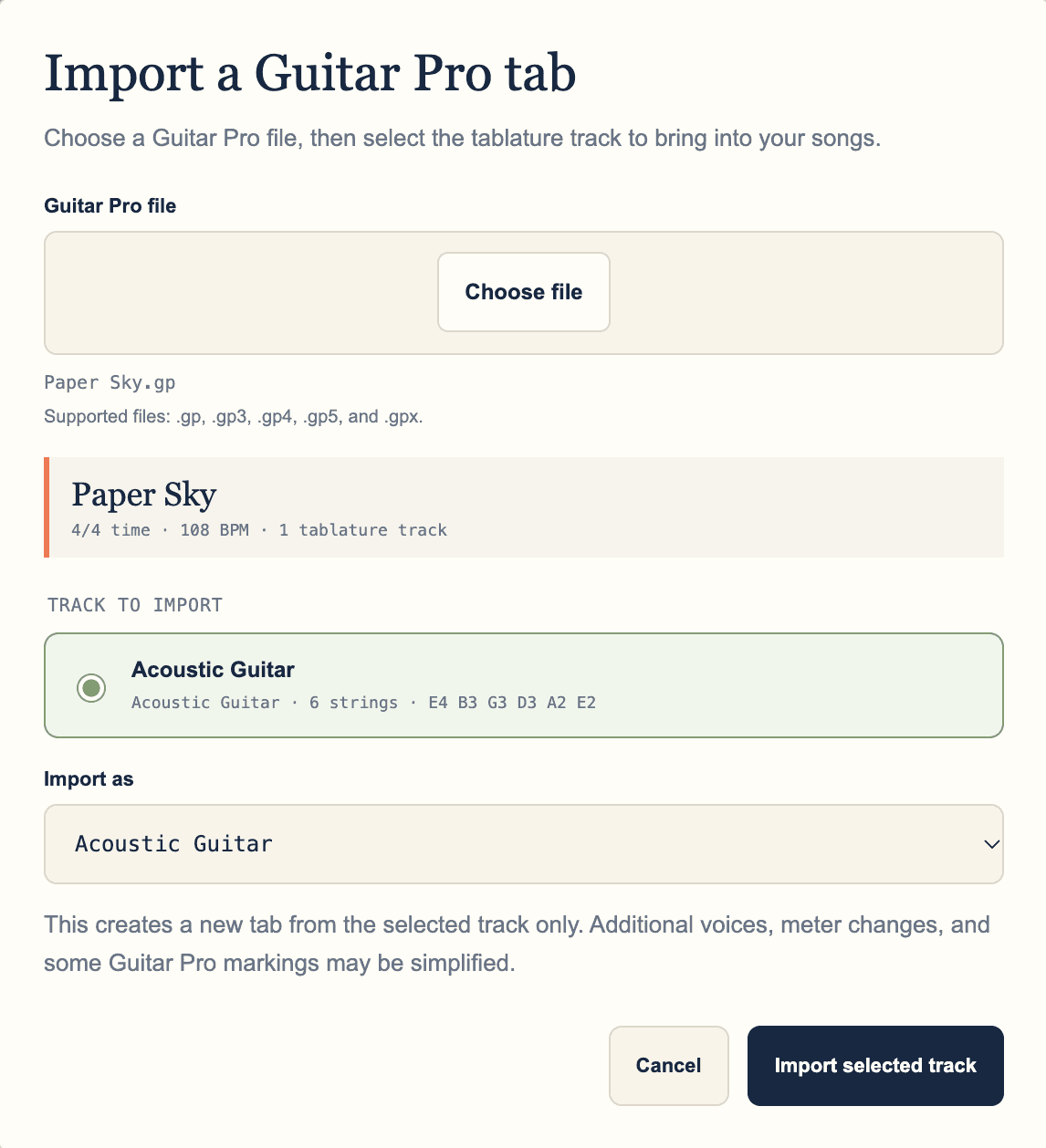
TabComposer shows the song details and tablature tracks in your file, then lets you choose one track and its destination instrument for a new tab.
A SIMPLE WORKFLOW
From your idea to the next time you play
- 01
Choose a supported Guitar Pro file
Import a .gp, .gp3, .gp4, .gp5, or .gpx file from your device. TabComposer reads the song title, time signature, tempo, and available tablature tracks.
- 02
Select a track and instrument
Choose the tablature track you want, review its instrument and tuning, then select the instrument to use in TabComposer. Each import creates a new tab from the selected track only.
- 03
Review, edit, and export
Additional voices, meter changes, and some Guitar Pro markings may be simplified during import. Review the new tab, keep writing or play it back, then export it as a Guitar Pro file when you are ready.
MORE WAYS TO MAKE MUSIC
Explore other TabComposer features
Each feature page goes deeper into one part of the writing workflow.
MAKE IT YOURS
Bring a song idea. See where it goes.
Sign up, open TabComposer, and try the workflow with something you're playing.